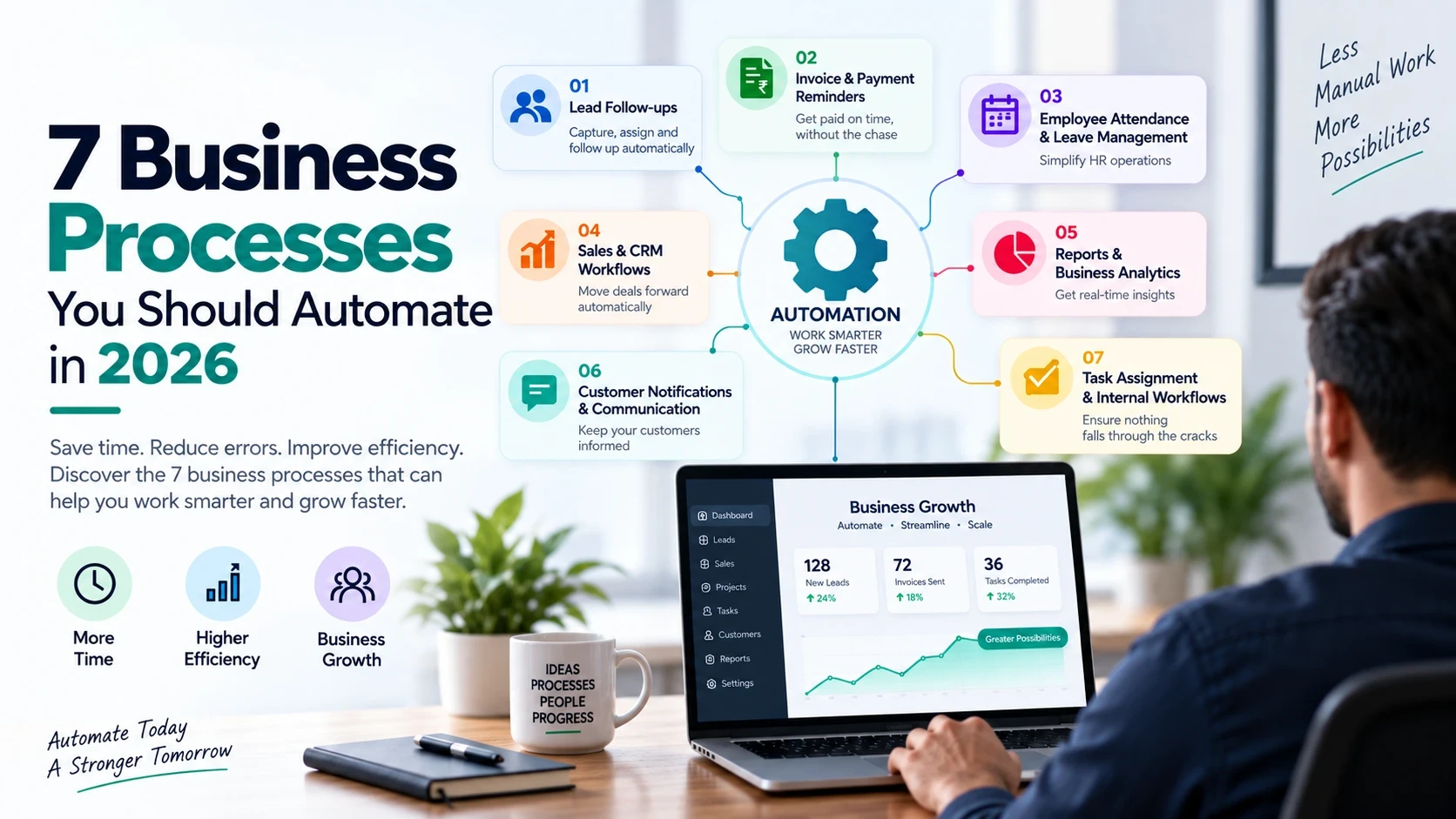
7 Business Processes You Should Automate in 2026
Running a business involves hundreds of repetitive tasks every week.
Following up with leads, sending payment reminders, preparing reports, assigning tasks, updating records and sending customer notifications may seem manageable when your business is small.
But as your business grows, these manual processes consume more time, create errors and make it harder for your team to focus on important work.
This is where business automation can make a significant difference.
Automation allows software to handle repetitive and rule-based tasks automatically, while your team focuses on decision-making, customer relationships and business growth.
Here are 7 business processes you should consider automating in 2026.
1. Lead Follow-ups
One of the biggest opportunities for automation is lead management.
Many businesses receive leads through:
- Website forms
- Social media
- Phone calls
- Online advertisements
The problem starts when these leads are managed manually.
A salesperson may forget to follow up, contact a lead too late or lose track of previous conversations.
What can be automated?
A CRM system can automatically:
- Capture new leads
- Assign leads to sales representatives
- Send follow-up reminders
- Change lead status
- Send automated emails or messages
- Notify salespeople about inactive leads
- Track the entire sales pipeline
For example, when a new website enquiry is received, the system can automatically create a lead, assign it to the appropriate salesperson and schedule a follow-up.
Result: Fewer missed opportunities and a more organized sales process.
2. Invoice & Payment Reminders
Following up with customers for pending payments is another repetitive business activity.
Instead of employees manually checking invoices and contacting customers, your system can handle routine reminders automatically.
Automation can include:
- Invoice generation
- Payment due-date tracking
- Automated reminders
- Overdue payment notifications
- Payment status updates
- Receipt generation
- Financial reports
For example:
Invoice created → Payment due date approaches → Reminder sent → Payment received → Invoice automatically marked as paid
Your employees only need to intervene when a payment requires personal attention.
Result: Less administrative work and better payment follow-up.
3. Employee Attendance & Leave Management
HR teams often spend considerable time managing attendance, leave requests and employee records.
These processes can be automated through an HR management system.
Common automation includes:
- Attendance tracking
- Leave applications
- Leave approvals
- Holiday calendars
- Late-arrival tracking
- Employee notifications
- Attendance reports
An employee can submit a leave request through the system. The appropriate manager receives the request, approves or rejects it, and the employee is automatically notified.
The HR team doesn't need to manually update multiple spreadsheets.
Result: Less paperwork and fewer administrative errors.
4. Sales & CRM Workflows
Sales teams perform many repetitive activities throughout the day.
For example:
New lead → Qualification → Follow-up → Proposal → Negotiation → Won/Lost
Instead of manually managing every stage, businesses can automate parts of the workflow.
Examples
When a lead reaches a particular stage:
- Create a follow-up task
- Notify the sales manager
- Send an email
- Generate a quotation
- Schedule a reminder
- Update the customer record
Automation can also identify leads that have remained inactive for a specific period and alert the salesperson.
Result: A more consistent sales process and better visibility into the pipeline.
5. Reports & Business Analytics
Business owners need information to make decisions.
But if employees have to manually collect information from different spreadsheets and systems every week, reporting becomes time-consuming.
A centralized business system can automatically generate reports.
Examples include:
- Daily sales reports
- Monthly revenue reports
- Lead conversion reports
- Employee performance reports
- Inventory reports
- Outstanding payment reports
- Project progress reports
Instead of asking an employee:
“Can you prepare this report?”
you can have the system generate it automatically.
Dashboards can also provide real-time visibility into important business metrics.
Result: Faster decision-making with less manual reporting.
6. Customer Notifications & Communication
Businesses regularly send the same types of messages to customers.
Examples include:
- Order confirmations
- Appointment reminders
- Payment reminders
- Service updates
- Delivery notifications
- Renewal reminders
- Welcome messages
These communications don't always need to be sent manually.
A properly configured system can trigger messages based on specific events.
For example:
Appointment created → Confirmation sent
Appointment tomorrow → Reminder sent
Appointment completed → Feedback request sent
This creates a consistent customer experience without requiring employees to remember every communication.
Result: Better customer communication with less repetitive work.
7. Task Assignment & Internal Workflows
As a business grows, work moves between different employees and departments.
A task might need to move from:
Sales → Accounts → Operations → Management
When this is managed through WhatsApp messages, emails or spreadsheets, tasks can easily be forgotten.
Workflow automation can automatically assign the next task when the previous stage is completed.
For example:
Sales closes deal → Accounts receives billing task → Operations receives onboarding task → Customer receives welcome communication
Each person knows what needs to happen next.
Result: Fewer missed tasks and smoother internal operations.
How to Identify Processes That Should Be Automated
Not every business process needs automation.
A good candidate usually has one or more of these characteristics:
It happens frequently
If your team performs the same task hundreds of times every month, automation can provide significant savings.
It is repetitive
Tasks that follow predictable rules are easier to automate.
It involves manual data entry
Moving the same information between spreadsheets, emails and systems is a strong automation opportunity.
It causes frequent errors
Automation can reduce human errors in repetitive processes.
It requires regular reminders
If employees repeatedly have to remember when to follow up, renew, approve or report something, the process may be suitable for automation.
Automation Doesn't Mean Automating Everything
A common mistake is trying to automate every process in a business.
Some activities require human judgment, creativity and communication.
For example:
- Negotiating with an important client
- Handling complex complaints
- Making strategic decisions
- Building relationships
- Managing exceptional situations
These activities should not necessarily be replaced by automation.
The goal is to automate repetitive work, not human decision-making.
The Real Value of Business Automation
The biggest benefit of automation isn't simply saving a few minutes on individual tasks.
The real value comes from what happens when those savings accumulate across the organization.
Automation can help businesses:
- Reduce repetitive work
- Minimize human errors
- Improve response times
- Increase operational visibility
- Standardize processes
- Reduce dependency on spreadsheets
- Improve customer experience
- Allow employees to focus on higher-value work
- Scale operations more efficiently
A process that takes 10 minutes may not seem important.
But if 10 employees perform it 20 times every day, that becomes 33+ hours of work every month.
That is where automation starts creating measurable business value.
When Should Your Business Start Automating?
You don't necessarily need to automate everything at once.
Start with one process that is repetitive, time-consuming and measurable.
For example:
Step 1: Identify the process.
Step 2: Document how it currently works.
Step 3: Identify repetitive steps.
Step 4: Determine which steps can be automated.
Step 5: Implement the automation.
Step 6: Measure the results.
Once you see the benefits, you can gradually automate other processes.
Final Thoughts
Business automation is no longer limited to large enterprises.
With modern software and cloud-based systems, businesses of different sizes can automate everyday operations without completely changing how their teams work.
The best starting point isn't asking:
“What software should we buy?”
Instead, ask:
“Which repetitive business process is costing us the most time?”
Find that process, improve it and automate it.
Then move to the next one.
The goal of automation isn't to make your business more complicated. It's to make your business easier to operate and easier to scale.